
Trade crypto and currency pairs in one account.
A trading platform built around your account: live prices, a demo with no deposit, identity verified within one banking day, and a terminal that runs in your browser.
Already have an account? Log in
We would like to alert our valued clients to interact only through Arab Shell's official channels: arabshell.app, portal.arabshell.app and info@arabshell.app. We never ask for passwords, card details or one-time codes.
Why Choose Arab Shell
Live crypto and currency pairs, the same feed on demo and live
To start on the demo account with practice money
Identity review and withdrawal checks
Core Features
Account Security
Sign in with your email and password — or ask for a one-time sign-in link by email. Identity checked by people, and deposits accepted only from an account in your own name.
Smart Order Ticket
Stop loss and take profit on every trade, set before you place it or edited on an open position.
Trading Tools
Live charts, a margin monitor with margin-call alerts and automatic stop-out, and CSV statements on demand.
Customer Care
A named account manager and a portal chat read by people, Monday to Friday 08:00–20:00 UAE time.
Wallet & Statements
Deposits by card or bank transfer, withdrawals back to the source, balance history and statements in one place.
Live Market Data
Six crypto and currency pairs on one live feed, identical for the demo and the live account.
Markets, live
Prices from the platform's market feed, updating while you read. The demo trades on exactly these prices.
| Pair | Last price | 24h change | 24h high | 24h low | 24h trend |
|---|
Start Trading in Three Steps
Sign up
Enter your name, email and phone, choose a password, then confirm your email address. Your demo account with 10,000 USD practice money is ready as soon as you confirm.
Verify & fund your account
Upload your ID and a proof of address; we review within one banking day. Deposit by card (minutes) or bank transfer (1–2 banking days).
Start your first trades
On the demo with practice money first, or live with your own funds. Same terminal, same prices.
Already have an account? Log in
Trading leveraged products such as CFDs carries a high risk of losing money. Only trade with money you can afford to lose. Practice (demo) accounts use virtual funds.
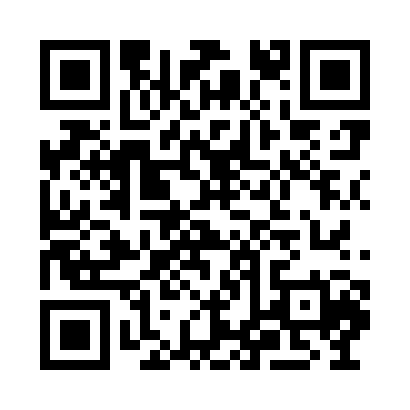
Web, Tablet or Mobile.
Your account moves with you on any device. Nothing to install: the terminal and your portal run in the browser.
Academy: questions traders ask us
The same answers you find in the portal's help pages once you sign in.
How do I deposit?+
In the terminal open Wallet → Deposit, choose card or bank transfer and follow the steps. Card deposits show within minutes; bank transfers take 1–2 banking days. Deposits are only accepted from an account in your own name.
How long does a withdrawal take?+
Withdrawal requests are reviewed within one banking day. Card refunds take 3–5 banking days and bank transfers 1–3 after approval. Funds go back to the source you deposited from, and your identity must be verified first.
How do I verify my identity?+
Go to Identity in your portal and upload a photo of your passport or ID card plus a proof of address (utility bill or bank statement, under three months old). We review within one banking day and you see the result in the portal.
What do leverage and margin mean?+
Leverage lets you open a position larger than your deposit; margin is the part of your equity reserved for it. If your margin level falls to the margin-call level we notify you, and at the stop-out level positions are closed automatically. Leverage magnifies losses as well as gains.
How do stop loss and take profit work?+
Set them in the order ticket before you place the trade, or edit an open position. Stop loss closes the position at a chosen loss level; take profit closes it at a chosen gain. In fast markets the fill can differ from the level you set.
What is the difference between demo and live?+
The demo account uses live market prices but practice money, so nothing is at risk and nothing is sent to a market. A live account trades your own funds and requires verified identity and a deposit. Ask us in the portal chat to switch.
Questions before you open an account? Write to us.
- Hours
- Monday to Friday, 08:00–20:00 (UAE time)
- info@arabshell.app
- Clients
- Signed-in clients can also write to us in the portal chat.
Outside these hours we reply by email the next working day.